


Great games stall for boring reasons.
The idea is strong, but the next step is unclear. The prototype exists, but the pitch does not hold together yet. The team is excited, but tasks live in five different places.
Nobody is quite sure who owns what, what has been agreed, or whether the price makes sense once platform fees and costs enter the picture.
That is the work around the work.
It is not always visible, but it decides whether an indie project keeps moving.
Game Dev Local has always been about giving indie developers access to the kind of tools, community, and connections that are usually easier to find inside well-resourced studios.
Today, we are sharing seven free tools and spaces built for developers at different stages of the journey.
Some are for early ideas. Some are for pitching. Some are for planning money. One is for the day-to-day reality of building with a team.
All of it lives at gamedevlocal.com. All of it is free to use*

Why we built these tools
Indie development has never lacked ambition. What it often lacks is structure.
A solo developer can have a brilliant core mechanic and still lose months because they do not know what to focus on next. A small team can form around a promising idea and then drift because there is no central place for decisions, tasks, files, playtest notes, and agreements. A pitch can look exciting on the surface but fail to answer the questions a publisher, investor, or judging panel will ask.
None of those problems mean the project is bad. They mean the project needs support.
Game Dev Local’s new set of free tools for indie developers is built around a simple idea: help developers make better decisions earlier, with less friction. That means tools that are practical, direct, and useful whether the project is a napkin sketch, a game jam build, a vertical slice, or a full production with several people contributing.
These tools are not trying to replace the creative work. They exist to protect it.
When the admin is clearer, the creative work gets more room. When the team knows what is next, the build moves forward. When the money makes sense on paper, pricing becomes less of a guess. When agreements are handled early, everyone has a better chance of staying aligned.
GDHQ helps developers build in good company
Building alone is hard. It can be focused, yes, but it can also become isolating fast.
GDHQ is Game Dev Local’s co-working membership for indie developers who want rhythm, company, and a little more accountability. The idea is simple: show up, work on your project, and be around other people doing the same.
That matters because game development often happens in long, uneven stretches. There are exciting days when a mechanic finally clicks. There are also weeks where the work is bug fixing, naming files properly, rewriting dialogue, testing controller support, or trying to make a menu feel less awkward.
Doing that in isolation can make every problem feel bigger than it is.
GDHQ gives developers a place to keep making progress in the presence of people who understand the process. It is not about pretending indie development is easy. It is about making it less lonely.
Use it when:
Motivation is dipping
The project needs a regular working rhythm
Solo development is starting to feel too quiet
You want to be near other makers without turning everything into a formal meeting
The Founder Stage Quiz shows where to focus next
Early development can feel messy because everything feels urgent.
Should the next step be market research, prototyping, a pitch deck, community building, a budget, a trailer, a store page, or a better build? The answer changes depending on where the project actually is.
The Founder Stage Quiz helps developers understand their current stage with ten quick questions. It gives a clearer view of where the project stands and what deserves attention next.
That makes it useful at both ends of the early journey. Someone with a rough sketch can use it to avoid skipping too far ahead. Someone near a vertical slice can use it to spot gaps before showing the work to others.
A good stage check can save a lot of wasted effort. A polished pitch is less useful if the core loop has not been tested. A prototype is harder to assess if there is no clear idea of who it is for. A team can move faster when it knows whether it is still exploring, proving, preparing, or producing.
The Pitch Checklist helps find the gaps before someone else does
A pitch can feel complete because it includes the obvious pieces: title, genre, art style, story, target platform, and a few screenshots.
Then the hard questions arrive.
Who is the audience? What is the hook? What is the current state of the build? What is being asked for? How much time and money will the project need? What proof is there that the team can finish it?
The Pitch Checklist is built to catch those gaps before the pitch goes to a publisher, investor, grant panel, jam jury, or potential collaborator.
It is not there to make every pitch look the same. A tiny experimental game and a commercial narrative RPG do not need identical decks. The point is to make sure the pitch answers the questions that matter for its stage and goal.
A useful checklist gives confidence. It shows what is solid, what needs more work, and what might be missing entirely.

The Game Profit Calculator makes pricing less vague
Pricing a game can get emotional fast.
Set the price too low and the project may need unrealistic sales to break even. Set it too high and the value has to be clear to the audience. Add platform fees, discounts, refunds, taxes, contractors, assets, software, localisation, marketing costs, and post-launch support, and the picture gets harder to hold in your head.
The Game Profit Calculator gives developers a simpler way to work through the numbers.
It covers the basics that matter before locking in a price:
Gross revenue
Platform fees
Net profit
Breakeven units
The relationship between cost, price, and sales volume
No spreadsheet is required. Put the numbers in and get a clearer picture out.
This is not financial advice, and real commercial planning should always account for the details of the project, region, and business setup. As a planning tool, though, it helps developers stop guessing and start testing scenarios.
A £4.99 game and a £19.99 game behave very differently once costs and fees enter the calculation. The calculator makes those differences easier to see.
The Prototype Designer helps when ideas are competing for attention
Most developers have more ideas than time.
That can be exciting at first, then paralysing. One idea has a great mechanic. Another has a stronger setting. A third feels more marketable. A fourth would be faster to build. Choosing between them can become a project of its own.
The Prototype Designer helps turn scattered preferences into a possible game concept.
Pick mechanics, settings, and tones that feel interesting, and it returns:
A possible game concept
A rough sense of how unique the idea may be
An estimate of how long it could take to prototype
It is useful when a developer is stuck between ideas, warming up before a jam, or trying to explore combinations they might not have reached alone.
The point is not to let a tool decide what to build. The point is to create something concrete enough to react to. Sometimes the generated idea is the spark. Sometimes it proves what you do not want. Both outcomes help.
HQ Command brings the whole project into one workspace
The biggest release is HQ Command, now in beta.
HQ Command is a project management platform built specifically for indie game dev teams. It brings the practical parts of development into one shared space, so teams do not have to keep stitching everything together from scattered tabs, chat threads, documents, spreadsheets, folders, and memory.
It includes:
GDD import
Shared task lists
Team chat
A live events calendar
An application and agreements pipeline
Playtest logging
Asset tracking
A dev diary
That combination matters because games create many different kinds of work at once. A general task board can help with production, but it rarely understands the wider shape of game development. A chat app can hold discussion, but decisions get buried. A spreadsheet can track assets, but not the reasoning behind them. A document can hold the GDD, but not the live state of the project.
HQ Command is designed around the fact that indie teams need one place where the project can breathe.
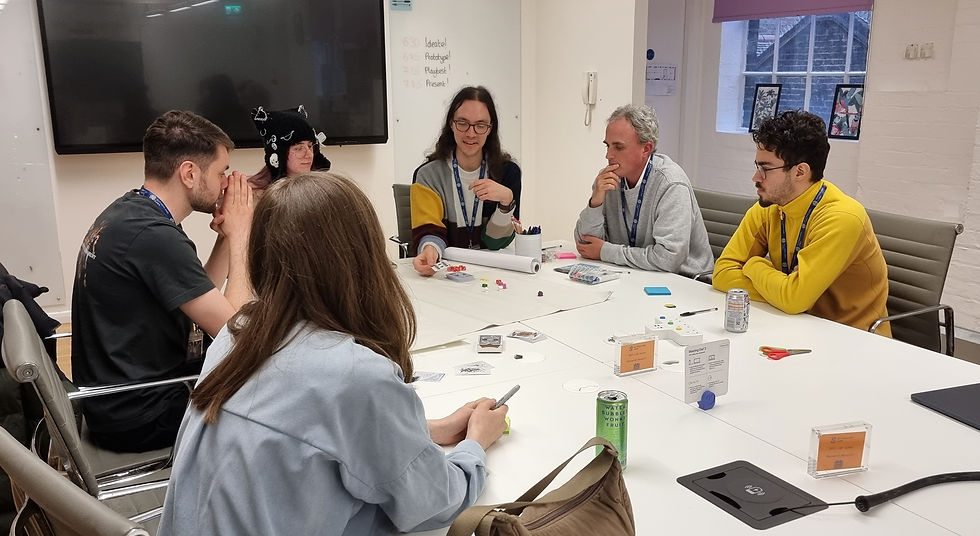
It helps teams keep track of the work and the decisions
A game project is not only a list of tasks.
It is design intent, technical trade-offs, art direction, build notes, testing feedback, creative disagreements, recruitment, contributor agreements, event deadlines, and small decisions that become very important three months later.
HQ Command gives those moving parts a shared home.
The GDD import helps teams bring design foundations into the workspace. Shared task lists help break the work into visible pieces. Team chat keeps discussion close to the project. The live events calendar helps with jams, showcases, grant deadlines, playtests, and internal milestones.
Asset tracking supports the messy reality of builds, where a file can move from placeholder to revised to final to replaced. Playtest logging keeps feedback tied to the project instead of lost in a message thread. The dev diary gives teams a record of what changed, why it changed, and how the project grew over time.
For new teams, that history matters. For returning contributors, it saves time. For founders, it helps protect the project from drifting.
The agreements pipeline tackles a problem too many teams leave late
Indie projects often begin with trust. That is good. They should.
But trust works better when expectations are clear.
Roles, contributions, ownership, revenue share, contractor work, credits, and rights should not live only in casual messages. When a project starts gaining attention, those missing agreements can become painful very quickly.
HQ Command includes an application and agreements pipeline because team structure is not separate from development. It is part of development.
The goal is not to make collaboration feel cold or formal. The goal is to help teams avoid confusion before it damages the work or the relationships around it.
Clear agreements give everyone a better foundation. They help people understand what they are joining, what they are responsible for, and what happens if the project changes.
The beta is live, free, and shaped by feedback
HQ Command is in beta right now.
That means it is live. It is free. It also means feedback from real developers will shape what gets built next.
Beta is the right stage for a tool like this because indie teams work in different ways. Some are remote. Some form around jams. Some are part-time. Some are testing a serious commercial idea while juggling freelance work or study. Some have one founder and a few contributors. Some are still looking for collaborators.
A project management tool for indie games has to make sense across those realities.
The best way to find that shape is to put the tool into developers’ hands and listen closely to where it helps, where it gets in the way, and what is missing.
If there is a feature that would make production easier, say so. If a workflow feels awkward, say so. If a part of the project is still being managed somewhere else because HQ Command does not cover it yet, that is exactly the kind of feedback that can guide the next version.
We built these tools because we kept seeing the same problems: great ideas without a clear next step, teams without structure, agreements left too late, and projects scattered across too many places.

Start with the tool that matches the problem in front of you
The full set is meant to meet developers where they are.
If the problem is isolation, start with GDHQ. If the problem is direction, take the Founder Stage Quiz. If the problem is readiness, run through the Pitch Checklist. If the problem is pricing, use the Game Profit Calculator. If the problem is too many ideas, try the Prototype Designer.
If the problem is team structure, production, agreements, playtests, assets, and keeping the whole thing together, start with HQ Command.
None of these tools make the game for you. That is still the hard, creative, stubborn work of development. What they can do is remove some of the fog around the next step.
The aim is simple: fewer stalled projects, fewer avoidable mistakes, and more developers getting the support that usually sits behind studio walls.
Everything is free to use through gamedevlocal.com/tools, and HQ Command is available now in beta.
If you have a project and a team, or you are looking to build one, try HQ Command at hqcmd.vercel.app.
Use the tools. Test them on real projects. Tell us what is missing.
That is how we build the next version together.


Comments